
Picture a fairly normal Tuesday at an SEO agency. One client is waiting on approval for a batch of blog content. Another needs a technical audit finished before a call later that week. A third has been messaging about a Google Business Profile update that nobody has confirmed is done. The account manager is on a call explaining last month’s rankings, while the SEO team is quietly trying to hit a set of deadlines that all seem to land on the same Friday.
None of this is unusual. It’s just what running client accounts looks like. But now add in where all of this information actually lives. Tasks are sitting in a project management tool. Client conversations are split between email and WhatsApp. Files are saved in yet another folder system. Meetings are booked through a separate calendar tool, and reminders, if they exist at all, are scattered across sticky notes, phone alarms, and someone’s memory.
The problem here isn’t that the agency has too much work. It’s that the information needed to do that work is spread across too many places. Every time someone needs an update, they have to go hunting for it, through a chat thread, an old email, or by asking a colleague who may or may not remember.
This is exactly the gap that project management software for agencies is meant to close. Not just a place to list tasks, but a workspace that brings the whole client workflow together: what needs to be done, who’s responsible for it, what the client is waiting on, and what needs attention next. When that information lives in one place, teams spend less time searching and more time actually doing the work.
Why Generic Project Management Software Doesn’t Always Work for Agencies
Most project management tools were built with a single internal team in mind, one company, one set of projects, one predictable rhythm of work. Agencies don’t operate that way.
An agency is usually running several client accounts at once, each with its own deadlines, its own recurring monthly deliverables, its own approval process, and often its own set of external collaborators. Add in client communication, billable hours, and the fact that priorities can shift the moment a client calls with an urgent request, and you get a working environment that a standard task tracker simply wasn’t designed for.
This becomes even more obvious in an SEO agency specifically. On any given week, the team might be juggling keyword research for one client, a technical SEO fix for another, on-page optimisation for a third, link building that needs to hit a monthly target, a Google Business Profile update, and a report that’s due before a client call. A generic tool can tell you that “Task A is due Thursday.” What it usually can’t tell you is where that task fits into the client’s wider deliverables, who’s waiting on it, or whether the client has already approved the direction.
That’s the real gap, and it’s exactly why the search for genuine project management software for agencies keeps growing. Agencies don’t just need task tracking; they need to see the client workflow as a whole, from the first brief to the final approval.
What Should Project Management Software for Agencies Include?
Once you start looking at software from this angle, not “does it track tasks” but “does it support how an agency actually works”, a clearer set of requirements starts to show up. The features below aren’t a random checklist. Each one solves a specific, recurring problem that shows up in day-to-day SEO agency work.
1. Client Management in One Place
Every client should exist inside the platform as its own environment, not as a scattered set of references across different tools. That means each client gets their own space for projects, tasks, conversations, and files, not a folder buried three levels deep in a shared drive.
For an SEO agency, this matters because a single client often has multiple types of work running in parallel. One client might have a technical SEO project, a content marketing project, a local SEO push, and some website development work happening at the same time. If all of that lives under one client environment, the account manager doesn’t need five separate views to understand where things stand; they can see the whole account from a single place. This is really what people are describing when they ask for client management software for agencies: one place where a client’s entire relationship with the agency is visible, not scattered across five half-updated tabs.
This same idea is what makes Zynito function as an agency project management tool rather than just another shared task board. The client sits at the centre of the system, and everything else – projects, tasks, files, conversations- gets organised around them.
2. Custom Workflows and Statuses
No two agencies run their delivery process the same way, and software that forces everyone into one fixed set of statuses ends up being worked around rather than actually used. This is one of the more genuinely useful things about Zynito; it lets agencies build workflows that match how they actually operate, rather than adapting their process to fit the tool.
For SEO work, a workflow might look something like:
To Do → SEO Research → In Progress → Internal Review → Client Approval → Revisions → Approved → Implementation → Completed
For content production, it might look more like:
Content Brief → Writing → SEO Review → Client Approval → Revisions → Published
The value here isn’t the labels themselves; it’s that anyone on the team, or even the client, can glance at a task and instantly understand exactly where it sits in the process. Nobody has to ask “is this ready for review yet?” because the status already answers that.
3. Client Communication Without Constantly Switching Apps
If client communication is spread across email, WhatsApp, Slack, and whatever else happens to be convenient that day, then answering a simple “what’s the status on this?” question can turn into ten minutes of searching. That’s ten minutes that isn’t billable, and it’s frustrating for everyone involved: the team member digging for context and the client waiting on an answer.
Keeping communication attached to the client and the specific project it relates to changes this. Instead of reconstructing a conversation from memory or scrolling through old messages, the team can open the client’s workspace and see exactly what was discussed, when, and in relation to which task. The work and the conversation about the work stay together.
4. Voice and Video Calls for Client Meetings
Not every conversation is well suited to a written message. Some things- a strategy shift, a report walkthrough, feedback on a set of website changes- are genuinely easier to explain out loud, in real time, with the ability to ask a follow-up question immediately instead of waiting hours for a reply.
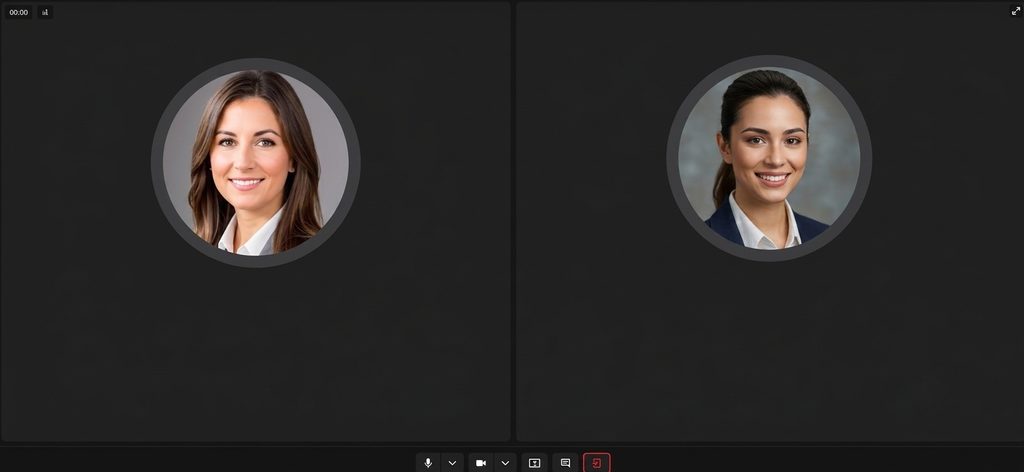
Zynito includes voice and video calling directly inside the platform, so teams and clients don’t need to jump to a separate meeting tool just to have that conversation. This tends to come up naturally in a few recurring situations:
- Monthly SEO performance reviews
- Onboarding a new client and walking through the initial strategy
- Talking through a shift in approach or priorities
- Reviewing content feedback that’s easier to explain than to type out
- Discussing a website issue that needs to be shown, not described
- Planning an upcoming campaign
It’s a small thing, but it removes one more reason to leave the platform mid-conversation.
5. Reminders So Important Work Doesn’t Get Forgotten
SEO work is full of recurring, easy-to-forget details: a follow-up that needs to happen next Tuesday, a client meeting three weeks out, a monthly report that’s due the same day every month. None of this is complicated, but it adds up, and relying on memory (or a mental note that quietly disappears by Thursday) isn’t a real system.
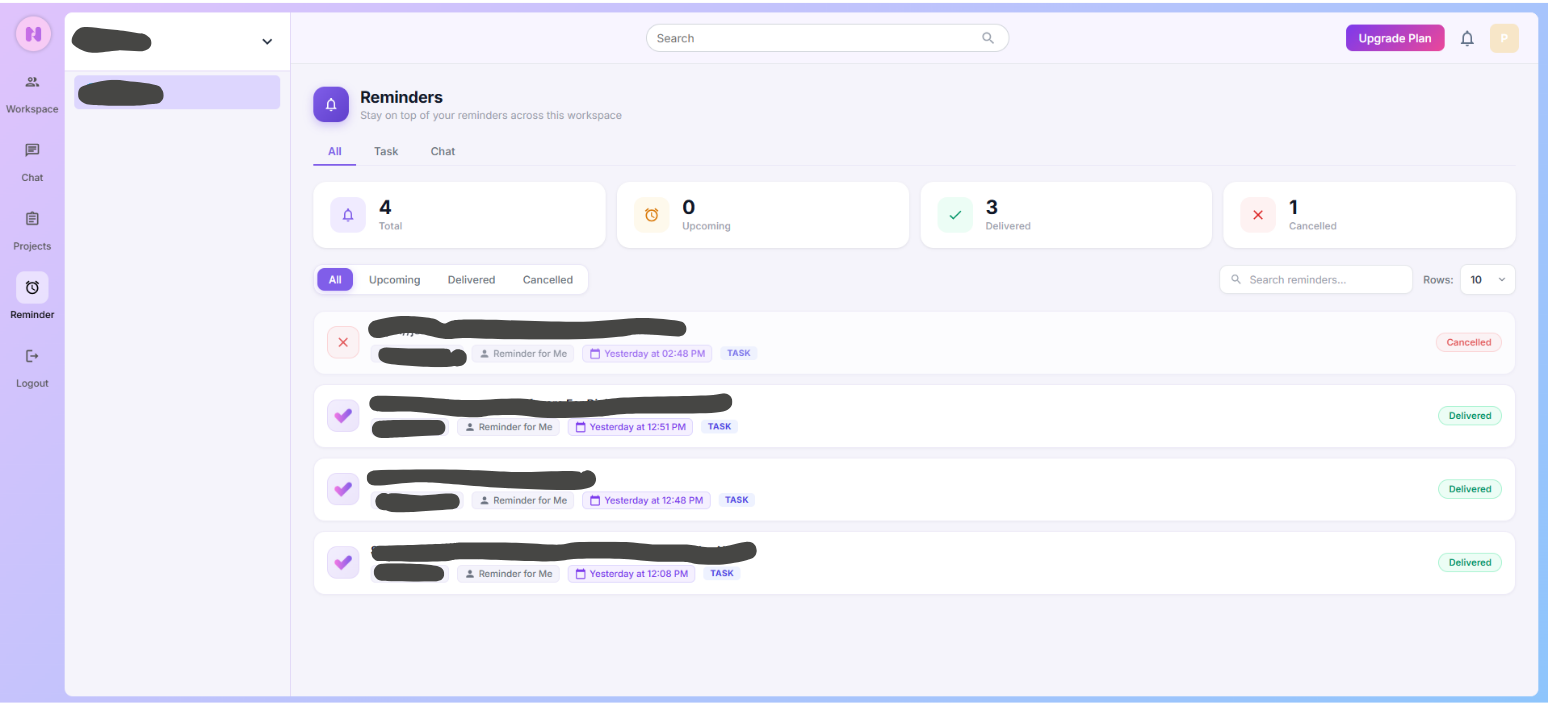
Reminders built into the platform take that mental load off individual team members. They can be set around client meetings, content deadlines, pending approvals, technical SEO tasks, monthly reporting cycles, or follow-ups that would otherwise get lost in the noise of a busy week. The point isn’t to add more notifications; it’s to stop important things from depending on someone simply remembering them.
6. Team Chat and Collaboration
Delivering SEO work well usually takes more than one person. There’s an SEO specialist handling strategy and technical work, a writer producing content, maybe a developer for site changes, a designer for assets, and an account manager tying it all together for the client. If this team is coordinating in Slack or Microsoft Teams while the actual work sits somewhere else entirely, context gets lost between the two.
Having team communication connected directly to the task or project it relates to means anyone jumping into a piece of work, including someone covering for a colleague who’s out, can see the full context immediately, instead of piecing it together from a search through old messages. This is essentially what team collaboration software for agencies is meant to provide: a shared space where the conversation about a task and the task itself never drift apart.
7. Files and Documents Connected to Client Work
Agencies accumulate a lot of documentation per client: SEO audits, keyword research spreadsheets, content briefs, monthly reports, website documentation, images, brand assets, strategy documents. When these files live in a separate system from the tasks and conversations they relate to, finding the right version of the right document becomes its own small chore.
Keeping files attached to the relevant client or project means the team isn’t hunting across shared drives, email attachments, and old chat messages to find the audit from three months ago. It’s sitting exactly where the work that references it is.
8. Client Approvals
Approvals are one of the most common bottlenecks in SEO delivery. Blog content, landing pages, meta titles and descriptions, website changes, SEO recommendations, creative assets, Google Business Profile updates- almost all of it needs a client’s sign-off before it can move forward, and waiting on that sign-off is often the slowest part of the whole process.
A dedicated Client Approval stage gives the team a clear view of exactly what’s stuck waiting on the client, rather than having to remember to chase it down through email or a message thread. It also gives the client a clear, single place to review and approve work, instead of scattered attachments across different conversations.
9. Time Tracking for SEO Agencies
Most agencies work on retainers or fixed-scope projects, which makes time tracking less of a nice-to-have and more of a basic requirement for understanding whether an account is actually profitable. Technical SEO, keyword research, content optimisation, client meetings, development work, reporting, link building- all of it takes time, and without tracking it, that time is essentially invisible.
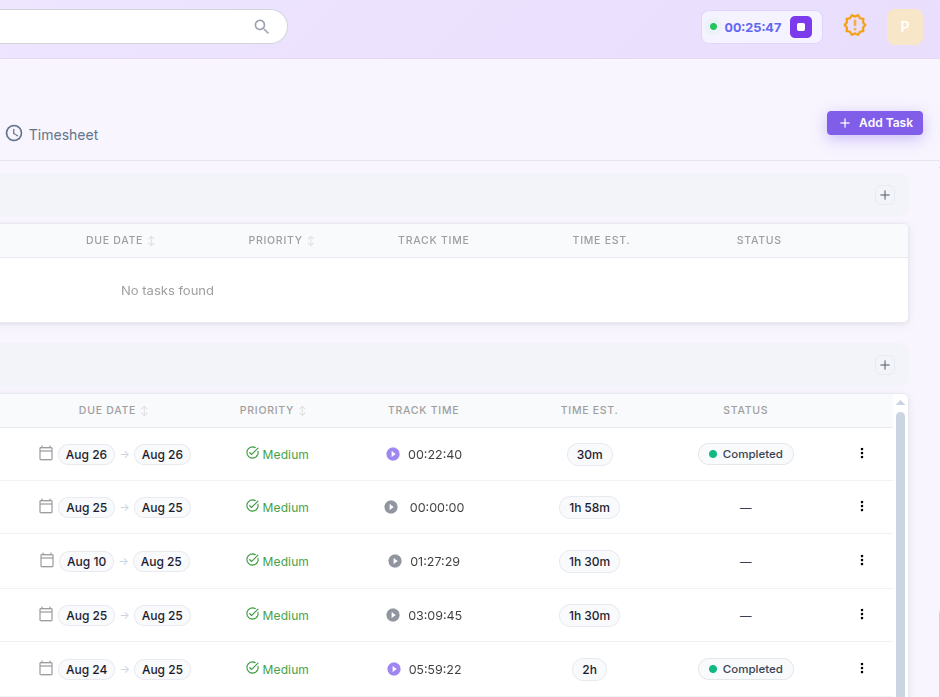
Being able to compare estimated hours against actual hours spent gives agencies a much clearer picture of where resources are really going. It’s often the difference between assuming a retainer is profitable and actually knowing. A project management software for agencies with time tracking built into the task itself, rather than bolted on as a separate app, is usually the difference between a team that logs hours consistently and one that forgets by Friday.
10. Recurring Tasks for Monthly SEO Work
SEO is rarely a one-off project; it’s ongoing, and a lot of the work repeats on a monthly cycle. Reporting, keyword monitoring, technical checks, content publishing, Google Business Profile updates, backlink work, and recurring client meetings all come around again and again.
Rebuilding this same set of tasks from scratch every single month is a waste of time that adds up fast across a full client roster. Recurring tasks solve this by letting the workflow repeat automatically, so the team can focus on doing the work rather than recreating the checklist for it.
11. Team Capacity and Resource Management
Before assigning new work, someone needs to actually know who has room for it. Without visibility into what each team member is already handling, it’s easy to overload one person while someone else has capacity sitting unused, and the agency usually only finds out when a deadline is missed.
Good agency workflow software should make it straightforward to see what everyone’s working on, so managers can make realistic decisions about new assignments instead of guessing.
12. Freelancer and Partner Access
Most agencies lean on freelance writers, developers, designers, or other specialists at some point, and those collaborators need to be able to work inside the relevant project without being handed access to the entire agency’s client roster.
The platform should support that kind of controlled access, bringing external collaborators into the specific project they’re working on, without opening up everything else the agency is managing.
13. Project Profitability
Finishing a project on time doesn’t automatically mean it made money. If the time and resources spent on a client account quietly outpace what that account is worth, the agency won’t necessarily notice until it shows up in the numbers at the end of the quarter.
This connects directly back to time tracking and task management rather than existing as some separate reporting exercise. When hours and resourcing are already being logged against client work, profitability becomes something the agency can actually see, rather than something it has to reconstruct after the fact.
How Zynito Brings SEO Agency Work Into One Place
It’s easy to read through a feature list like the one above and still not quite see how it comes together in practice. The real value shows up when these pieces stop being separate features and start working as one connected system.
Here’s roughly what that looks like: a new client gets added to Zynito, and their project is set up around them. SEO tasks get assigned to the right people on the team. Custom statuses show exactly where each piece of work currently sits, in research, under internal review, waiting on the client, or moving into implementation. Files stay attached to the project they belong to, so nobody’s digging through old folders to find the right version of an audit. The team talks about the work inside the platform, so context isn’t lost between a chat app and a task board.
As the work moves forward, deliverables pass through internal review and client approval before they’re implemented and marked complete. None of this requires jumping between five different platforms to piece together; it’s one continuous thread from the moment a client is onboarded to the moment a deliverable is signed off.
The point isn’t that Zynito is simply a more polished task list. It’s that it’s built to hold the entire agency workflow, client, communication, and delivery- in one place.
Managing SEO clients across too many different tools? Explore how Zynito can bring your agency’s projects, communication, calls, reminders, and team workflow into one place.
Example: How an SEO Agency Could Manage a Client in Zynito
It helps to walk through what this actually looks like for a single client, from onboarding through to delivery.
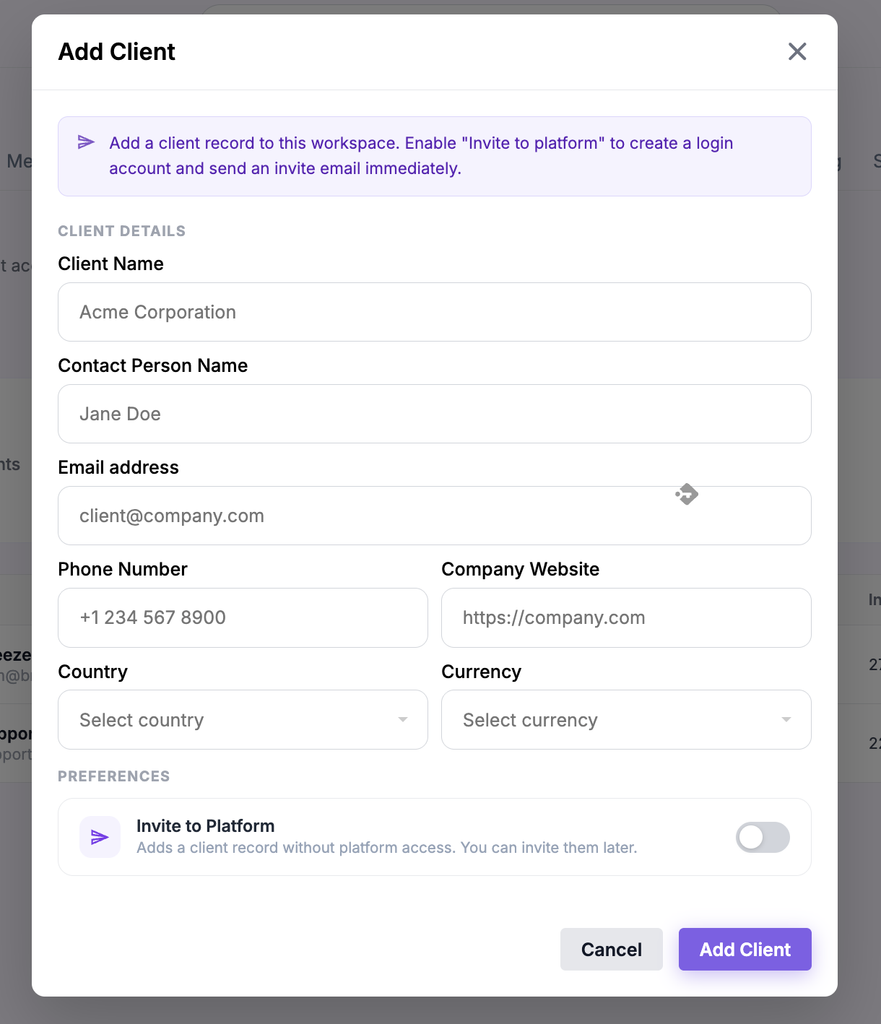
Step 1: Add the Client
The agency creates the client inside Zynito and sets up their dedicated workspace and project. From this point on, everything related to that client- tasks, conversations, files, approvals- has a single home.
Step 2: Create the SEO Workflow
Statuses get built around how the agency actually delivers SEO work, whether that’s a straightforward To Do → In Progress → Completed setup or something more detailed involving internal review and client approval stages.
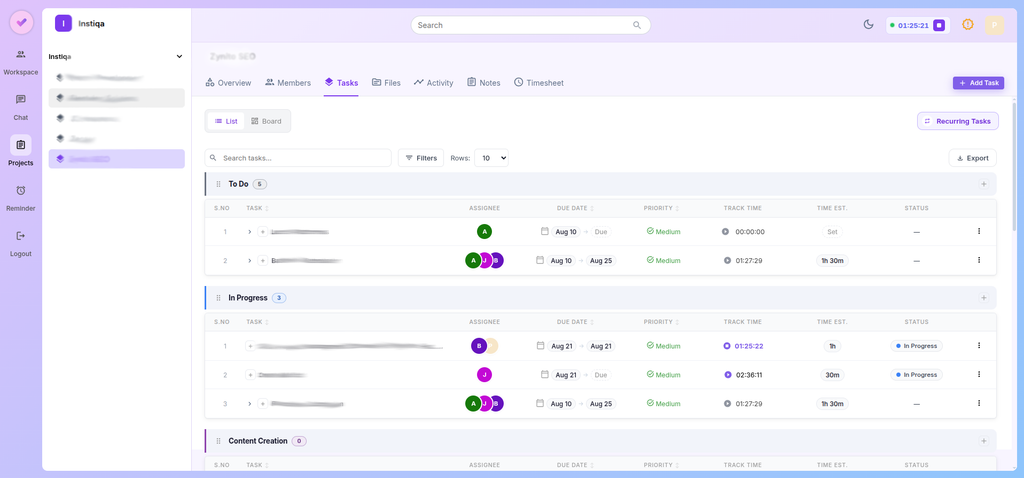
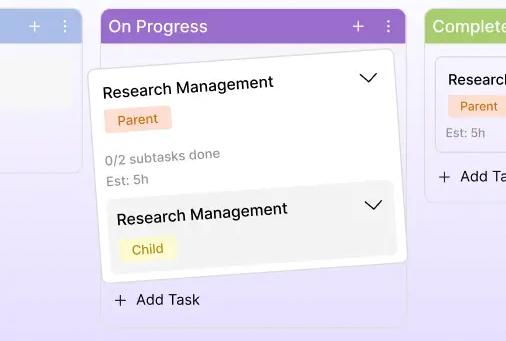
Step 3: Assign SEO Tasks
Keyword research, technical SEO, content, development work, and any other pieces of the project get assigned to the relevant team members, each with their own deadlines.
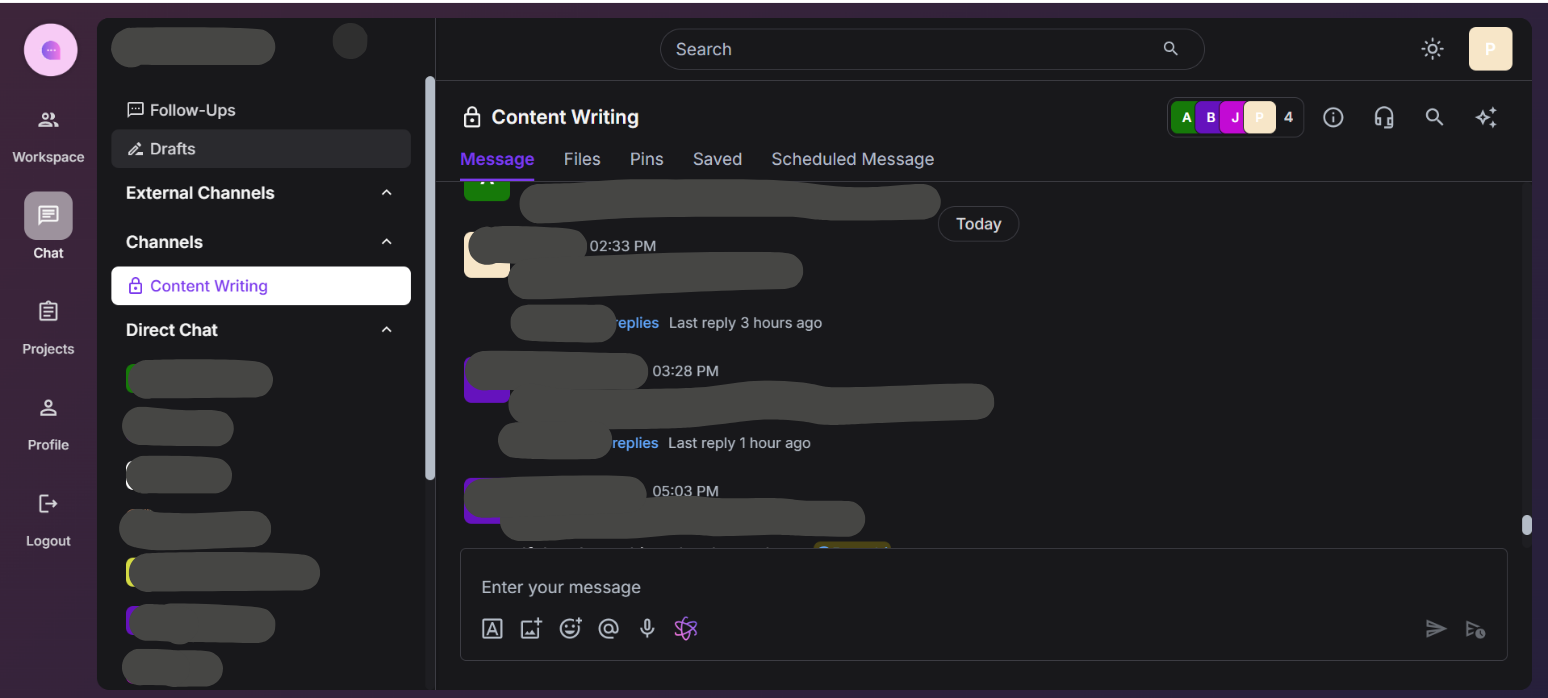
Step 4: Manage Communication
Rather than relying on a scattered mix of email, WhatsApp, and internal chat, project-related communication stays connected to the client and the specific piece of work it’s about.
Step 5: Use Voice or Video When Needed
For strategy conversations, client reviews, or anything that’s genuinely easier to talk through than type out, the team can jump on a call directly inside the platform.
Step 6: Track Deadlines and Reminders
Task deadlines and reminders keep both the internal team and the client-facing timeline moving, without anyone having to track dates in a separate calendar manually.
Step 7: Send Work for Approval
Once content or deliverables are ready, they move into the Client Approval stage, giving the client a clear place to review and sign off.

Step 8: Track Time
Time spent on the client’s work gets logged against the relevant tasks, so the team can compare what was estimated against what actually happened.
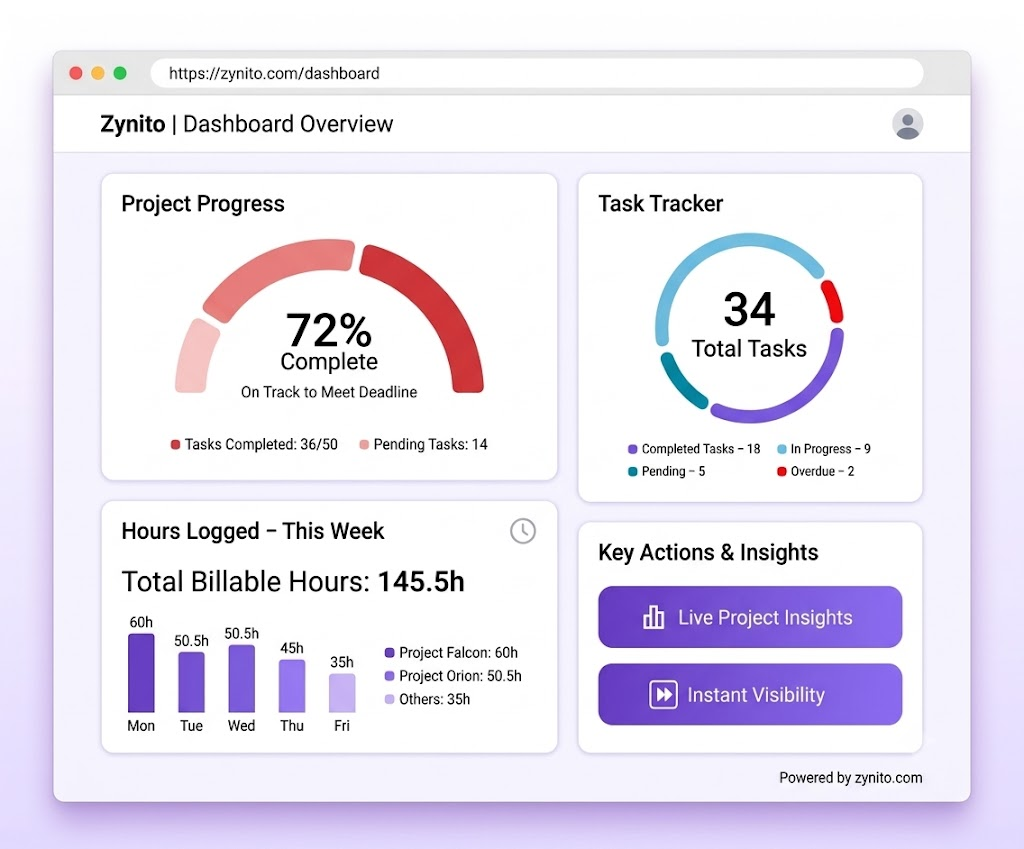
Step 9: Complete and Review
Once work is approved and finished, the project record stays organised and in place, ready for next month’s cycle, rather than needing to be rebuilt from scratch.
Why One Platform Can Be Better Than a Disconnected Agency Stack
A lot of agencies end up running a fairly familiar setup: one tool for tasks, another for team chat, another for calls, a separate system for reminders, a shared drive for files, and a spreadsheet somewhere tracking time or project profitability. Individually, each of these tools might do its specific job reasonably well. Collectively, they create a lot of quiet friction.
Tools like Slack or Microsoft Teams are genuinely useful for internal communication, and plenty of agencies already rely on them. The issue isn’t that any one of these tools is bad; it’s that the more separate systems an agency uses to manage a single client, the harder it becomes to keep the full context together. A decision made in a chat app doesn’t automatically show up next to the task it affected. A file shared over email doesn’t automatically attach itself to the right project. Someone always ends up being the one who has to hold the full picture together manually, and that person becomes a bottleneck.
What to Look for When Choosing SEO Project Management Software
If you’re evaluating project management software for agencies, it helps to work from a practical list of questions rather than a generic feature comparison:
- Can we add and manage multiple clients, each with their own workspace?
- Can each client have separate projects, tasks, and information?
- Can we build custom workflow statuses that match our own SEO process?
- Can we set up and manage recurring monthly tasks?
- Can clients participate directly in the approval process?
- Can the team communicate around specific projects, not just in a general channel?
- Are voice and video calls available without switching to another tool?
- Does the platform support reminders for deadlines and follow-ups?
- Can we keep files organised alongside the client work they relate to?
- Can we track time against specific tasks and clients?
- Can we bring in freelancers or partners without giving them full agency access?
- Can we get a clear view of project performance and profitability?
- Will this platform still make sense as the agency grows?
If a tool struggles to answer “yes” to most of these, it’s worth asking whether it’s really built for agency work, or just a general task tracker with an agency label attached.
Common Mistakes Agencies Make When Choosing Project Management Software
A few patterns show up repeatedly when agencies pick the wrong platform, or pick the right platform for the wrong reasons:
- Choosing based on the longest feature list. More features on a comparison page doesn’t mean more of them are relevant to how your agency actually works.
- Ignoring the client experience. A tool that’s great for the internal team but confusing or invisible to the client misses half the point of client-facing software.
- Keeping communication completely separate from project work. This recreates the exact fragmentation problem the software was supposed to solve.
- Not testing a real client workflow before committing. A demo with sample data rarely reveals how a tool handles the messiness of an actual, ongoing client account.
- Forgetting about recurring tasks. Monthly SEO work is the norm, not the exception, and a platform that can’t handle it well creates repetitive manual work every single cycle.
- Not checking how time tracking actually works. Some tools treat it as an afterthought, which makes it painful enough that teams stop bothering.
- Ignoring scalability. A setup that works for five clients can fall apart at twenty-five if the platform wasn’t built to handle that kind of growth.
- Moving between too many disconnected tools regardless. Sometimes agencies adopt a new “all-in-one” platform and still end up running half their workflow somewhere else out of habit.
- Choosing software that can’t adapt to the agency’s own process. If the tool forces a rigid workflow, teams tend to work around it rather than with it, which defeats the purpose.
FAQs
- What is project management software for SEO agencies?
It’s software built to manage the full scope of agency work – clients, projects, tasks, communication, approvals, and time – rather than just a list of to-dos. The difference from a basic task manager is that it’s designed around how client services actually operate, with multiple accounts, recurring work, and client-facing visibility built in.
- What features should an SEO agency look for?
At minimum: dedicated client management, custom workflows, task tracking, built-in communication, approval stages, reminders, file organisation, and time tracking. Reporting on where time and resources go across accounts also matters once an agency is managing more than a handful of clients.
- Can SEO agencies manage multiple clients in one platform?
Yes, in Zynito, each client gets their own dedicated workspace with separate projects, tasks, files, and conversations, so nothing gets mixed up between accounts even when several are running at the same time.
- Why are custom statuses useful for SEO agencies?
Because every agency’s delivery process is a little different. Custom statuses let a team map their actual SEO workflow – research, review, client approval, implementation – instead of being forced into a generic set of stages that doesn’t match how they really work.
- Can clients communicate with an SEO agency through project management software?
In Zynito, clients can be brought into the relevant project space to review work, leave feedback, and communicate about specific tasks, without being given visibility into internal team discussions or other client accounts.
- Can agencies make voice and video calls?
Yes. Zynito includes built-in voice and video calling, so teams and clients can have a real-time conversation – for a strategy discussion, a report walkthrough, or anything easier to explain out loud – without needing to leave the platform for a separate meeting tool.
Bringing It Together
Running an SEO agency well isn’t really about managing more tasks; it’s about keeping track of a lot of moving parts across several clients at once, without losing context along the way. The agencies that struggle most usually aren’t short on effort; they’re just working across too many disconnected tools to see the full picture clearly. Good project management software for agencies doesn’t replace the way your team already thinks about client work; it just gives that process somewhere solid to live.
Still managing SEO clients across too many different tools?
Start your free trial and explore how Zynito brings your agency’s projects, communication, calls, reminders, and team workflow into one connected place.