
Your team says yes to every new project that lands on the desk. Nobody wants to be the person who turns down work. Six weeks later, five projects are all “in progress” at once, and none of them are actually moving.
This is the trap most teams fall into when they try to manage multiple projects. The instinct is to fix it with better prioritisation: work out what matters most, focus there first. That helps, but it misses the real problem. Most teams don’t miss deadlines because they picked the wrong priority. They miss deadlines because they took on more work than their team ever had the capacity to deliver.
This guide covers a different fix: managing capacity, not just priority, so deadlines stop slipping because the workload was never realistic in the first place.
How Can I Manage Multiple Projects at the Same Time?
Here’s what usually happens. A team can genuinely focus well on two or three things at once. A fourth project gets added because it seems urgent, or because saying no felt awkward. Nothing gets removed to make room for it.
From that point, every project on the list moves slightly slower, because attention is now split four ways instead of three. Nobody notices until a deadline arrives and the work simply isn’t finished
What is the Best Way to Prioritise Tasks Across Multiple Projects?
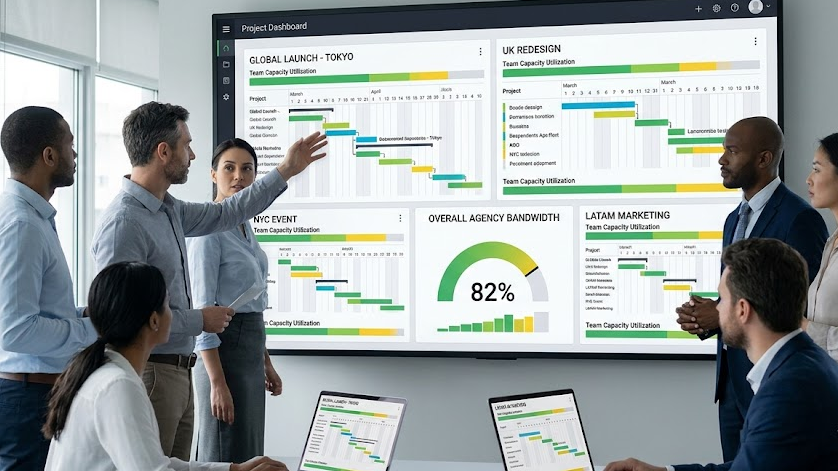
Before ranking what matters most, decide how many projects your team can realistically run at full attention at the same time. This is the single biggest shift in how to manage multiple projects without deadlines quietly slipping.
A simple way to set this:
- Look at your team’s size and the typical complexity of your projects.
- Ask honestly: how many projects can each person give genuine, undivided attention to in a normal week?
- Multiply that by your team size, then round down, not up.
If the number that comes out is lower than the number of projects currently active, that’s not a scheduling problem. That’s the actual cause of your missed deadlines.
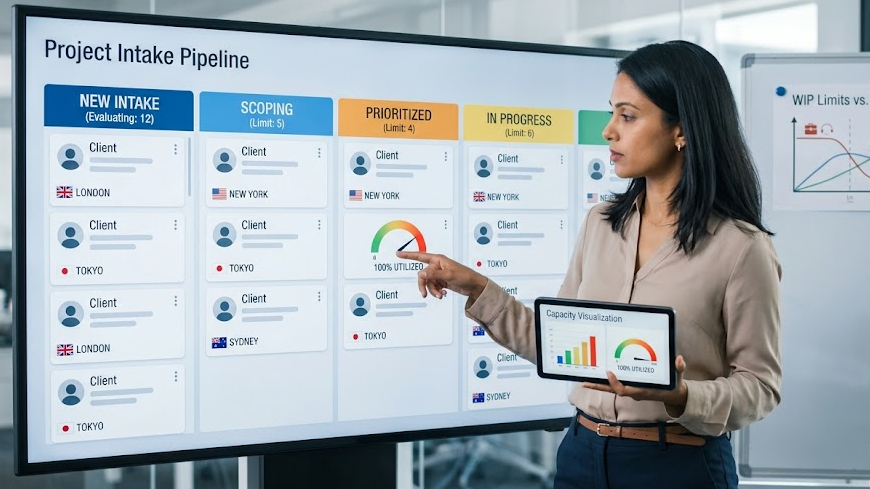
Most teams also have no formal project intake process. New work just arrives, gets nodded through, and joins the pile. A basic intake process doesn’t need to be bureaucratic. It just needs one question asked consistently: what’s coming off the list to make room for this?
If the honest answer is “nothing,” that’s useful information. It means either the new project waits, or something currently in progress gets paused or reassigned. Either way, the decision gets made deliberately, instead of by default.
See how Zynito approaches agency operations->
How Do I Track Deadlines for Multiple Projects?
When a project starts slipping, the usual reflex is to push harder, longer hours, tighter check-ins, more pressure. That treats the symptom, not the cause, and it burns out the team without fixing the underlying capacity problem.
A better fix is building buffer time into the schedule from the start, not just before the final deadline, but at every handoff point between people or teams. If Project A’s design phase is supposed to finish Friday, plan for it landing Monday, and build the next phase’s start date around that reality rather than the optimistic one.
This does two things. It absorbs small delays without a full cascade effect, and it gives early warning if a project is falling meaningfully behind, rather than everyone finding out in the final week.
How Can I Keep My Team on Track Across Different Projects?
A common pattern in teams juggling several projects: each project lives in its own board, its own thread, sometimes its own tool entirely. Nobody has a single view of everything happening across the whole team.
That fragmentation is exactly where deadlines quietly disappear. If Project A’s status only lives in one person’s head, everyone else is planning around outdated information.
Genuine team bandwidth tracking means being able to answer, at a glance, and for every active project at once:
- What’s actually in progress right now, versus just assigned
- Who’s carrying the most active work
- Which project is closest to its deadline
- Where two projects are quietly relying on the same person
Without that shared view, capacity problems stay invisible until they show up as a missed deadline.
How Can I Identify Project Delays Before They Happen?
Running several projects at once means delays don’t stay contained. A client approval that’s late on Project A can quietly push back the start date of Project C, if C’s team was waiting on a resource freed up from A.
This is where concurrent project management gets genuinely harder than managing one project at a time. The risk isn’t just each project’s own timeline. It’s how the timelines interact.
Practical steps that help here:
- List which projects share people, not just which projects share deadlines.
- Flag any task where one project’s output feeds directly into another.
- Review these shared dependency points weekly, not just at project kickoff.
A delay flagged early is a schedule adjustment. A delay discovered the week of the deadline is a crisis.
Compare Zynito’s plans and features->
How Can I Manage Workloads Across Multiple Projects?
Agile and Kanban methodologies solved this problem decades ago with a concept called work in progress limits, a hard cap on how many things can be actively underway at once. The logic is simple: a team of five people working on two projects at a time will usually finish both faster than the same five people spread across five projects simultaneously.
Every extra active project adds a hidden tax:
- Context-switching cost. Every time someone moves from Project A to Project B, there’s a mental reset before they’re actually productive again.
- Communication overhead. More active projects mean more status updates, more check-ins, more places information can get lost.
- Diluted attention. Nobody gives a project their full focus when four other things are also demanding it.
Starting a new project feels like progress. It isn’t, if nothing currently in progress is actually close to done.
How Can I Improve Team Communication Across Projects?
Look at who’s carrying the most active work, and rebalance before it causes a delay, not after. Communication overhead is one of the highest hidden costs of running multiple projects, so the fix isn’t more status meetings; it’s fewer places for information to hide.
That comes back to visibility: everyone working from the same up-to-date view of what’s happening, rather than piecing it together from separate threads, boards, and check-ins. When status, deadlines, and ownership all live in one place, communication stops being a chase and starts being a glance.
How Can Project Management Software Help Prevent Missed Deadlines?
Plenty of teams respond to this problem by adding more tools, a separate board per client, a separate tracker per project. That usually makes the visibility problem worse, not better.
Genuine resource allocation software should do the opposite: pull every active project’s status, deadlines, and assigned people into one place, so capacity is visible before it becomes a crisis, not after.
What Features Should Teams Managing Multiple Projects Look For in PM Software?
Look for a few specific things when evaluating tools for this:
- A single view across every active project, not five separate boards
- Visibility into who’s working on what, so overload is obvious before it causes a delay
- Dependency tracking, so a delay on one project flags its knock-on effect elsewhere
- Simple project capacity planning, not a full resourcing suite you’ll never fully use
See how Zynito’s pricing compares->
How Does Zynito Help Teams Manage Multiple Projects?
Zynito is built around the shift this guide covers: managing capacity, not just priority. Instead of five separate boards and a patchwork of status updates, Zynito gives teams one shared view of every active project, its deadlines, and who’s assigned to it, so overload and dependencies are visible before they turn into a missed deadline.
How to Keep All Projects on Track?
None of this requires a complex methodology overhaul. The core shift is simple: stop treating every missed deadline as a prioritisation failure, and start treating it as a capacity signal.
A practical weekly rhythm looks like this:
- Check your work-in-progress count. Is it above what your team can realistically handle at full attention?
- Review dependencies across active projects, not just within each one individually.
- Look at who’s carrying the most active work, and rebalance before it causes a delay, not after.
- Apply the intake question to anything new: what’s coming off the list to make room for this?
Teams that run this rhythm consistently don’t manage multiple projects by working harder. They manage multiple projects by never running past what the team can genuinely deliver at once.
Why Use Zynito for Managing Multiple Projects?
Struggling to see who’s actually overloaded across your active projects? Start a free Zynito trial and get one shared view of every project, every deadline, and every dependency, without juggling five separate boards. No credit card required.
FAQs
- How many projects should one team realistically run at the same time?
There’s no universal number; it depends on team size and how complex each project is. The more useful question is whether your current project count lets everyone give genuine focus to their work, or whether attention is visibly stretched thin across too many things at once.
- What’s a work-in-progress limit, and do I really need one?
It’s a deliberate cap on how many projects or tasks are actively underway at any time, borrowed from Kanban and Agile practice. Teams without one tend to accumulate work gradually until deadlines start slipping, without ever consciously deciding to take on that much.
- Isn’t saying no to new projects bad for business?
Not necessarily. Saying yes to work you can’t realistically deliver on time damages client trust more than a clear, upfront conversation about timing does. A simple intake process makes that trade-off visible instead of accidental.
- How do dependencies between projects cause missed deadlines?
When two projects share people, or one project’s output feeds into another, a delay in one quietly pushes back the other, even if nobody explicitly connected the two. Mapping these links early means a delay gets flagged as a schedule adjustment, not discovered as a crisis in the final week.
- Should I just add more tools to keep track of multiple projects?
Usually not. Adding a separate tracker per project tends to fragment visibility further. What actually helps is one shared view across every active project, so capacity and dependencies are visible in a single place.
- What’s the fastest way to tell if my team is running too many projects at once?
Watch for projects sitting “in progress” for weeks without real movement, and for the same few people appearing as bottlenecks across several projects simultaneously. Both are signs the team’s real capacity has been exceeded, regardless of how well individual tasks are being tracked.
Struggling to see who’s actually overloaded across your active projects?
Start a free Zynito trial and get one shared view of every project, every deadline, and every dependency, without juggling five separate boards. No credit card required.